11 Tips on TypeScript, Eslint, and the New Flat Configuration
This week, I dove deep into TypeScript, ESLint, and the new flat config. Here's a collection of tips, news, and tools that stood out to me. Enjoy! 🧵
1. Strict Mode Is a Must
If you're not using TypeScript in strict mode, you're not really using TypeScript. And it's not just me saying it:

2. Two Extra Strictness Properties to Enable
Beyond strict: true, there are two very useful properties to enable:
noUncheckedIndexedAccessnoImplicitOverride
3. Use the recommendedTypeChecked Preset
If you're not using the recommendedTypeChecked preset from typescript-eslint, start now! It makes programming so much easier. In my opinion, it’s as important as TS strict mode.
4. ESLint’s Latest Release Brings Good News
As of ESLint’s latest release (just 4 days ago), .ts files (like eslint.config.ts) no longer need the experimental flag. Great news!
5. Take Advantage of tseslint.config
If you’re using typescript-eslint (and again, you should!), take advantage of their utility function tseslint.config(...). It’s type-safe and also brings back the convenient extends feature that ESLint v9 removed.
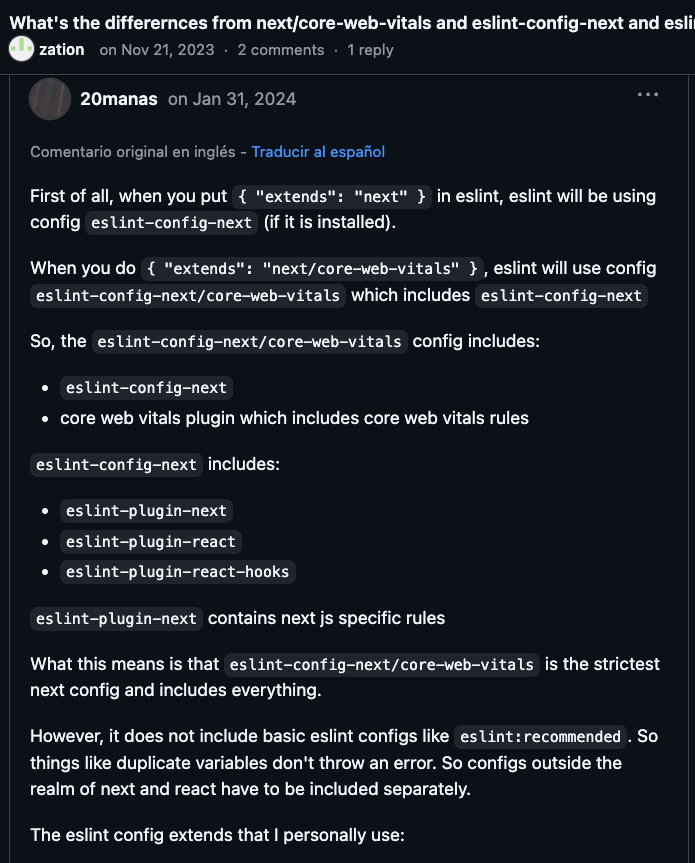
6. Try next/core-web-vitals for React
next/core-web-vitals is an excellent configuration for React. It combines several sub-configurations with healthy defaults and very good criteria.
7. Check Your tsconfig.json
Make sure the include field in your tsconfig.json covers configuration files in the root folder (like eslint.config.ts). A common mistake is to only include /src.
8. Avoid Repeated Rules in Flat Config
You don’t need to repeat rules across different configs in the flat config array. Another common mistake! Flat configs are processed top-down, including all rules.
9. One Config File for Monorepos
In a monorepo, you only need one ESLint config file. If you want to customize specific packages, you can do it in the same root file using the include field.
10. Use This Handy Config Inspector
@antfu has created a super handy ESLint config inspector: eslint-config-inspector. Check it out!
11. Track Rule Changes with eslint-find-rules
The eslint-find-rules package lets you list all rules resolved by an ESLint config file. It’s super useful for adding a test in CI to ensure you’re tracking changes to the rules!
Many of these are improvements coming soon to Payload as part of our stability efforts. If our team ships fast, just hang in there because this is only going to speed us up!